Swipefile
  • Database
Categories
Tools
  • Business Idea Generator
  • Product Pricing Calculator
  • Gross Profit Calculator
  • View All Tools
Resources
  • What is a Swipe File?
  • Popular Posts
  • I'm Feeling Lucky
  • Contact
  • Terms of Service
  • Privacy Policy
Sponsored by
Likes (0)0RandomDatabase
Swipefile

Command Palette

Search for a command to run...

Database
Categories
  • Ads2074
  • Advice2488
  • Before & After436
  • Business Ideas140
  • Copywriting3243
  • Data1237
  • Direct Mail78
  • Emails333
  • Images1986
  • Money100
  • Motivation419
  • Pricing228
  • Print Ads690
  • Quotes196
  • Sales Pages462
  • X
    Social Media931
  • SWIPES Email178
  • Testimonials111
  • Videos526
  • Wisdom245
  • All Categories95
Business Idea Generator
Product Pricing Calculator
Gross Profit Calculator
View All Tools
What is a Swipe File?
Popular Posts
I'm Feeling Lucky
Contact
Terms of Service
Privacy Policy
Random
Database

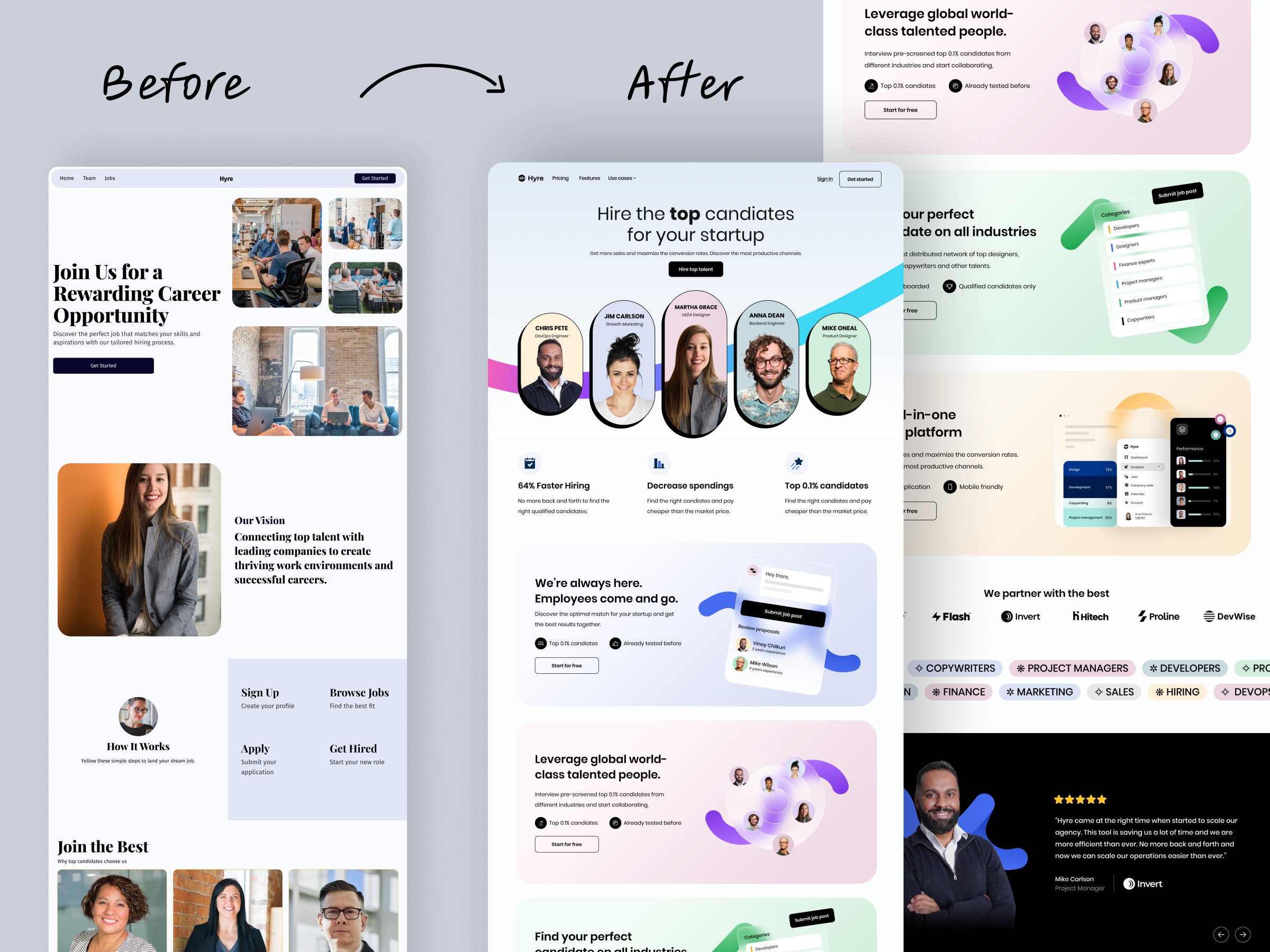
Before and After Website Redesign
Before & After
Images
Advice
Social Media
Landing Pages
·
Source
Updated on Nov 8, 2025
before-and-after-webpage

Nothing says “I know what I’m doing” like a killer before-and-after image. This one nails it. The side-by-side layout instantly shows the value of a redesign—no need for long explanations or fancy words.

Why Before-and-After Works

  • It visualizes improvement fast.
  • Triggers instant “wow” reactions.
  • Clearly shows ROI for potential clients.
  • Builds credibility without bragging.
  • Creates the perfect social media scroll-stopper.

Real-World Examples

  • Designers on Dribbble and Behance boost engagement 2–3x with before-and-after posts.
  • Home reno influencers triple inquiries by showing transformations.
  • Fitness brands use the same format to highlight client success stories.

Show the “before,” flaunt the “after,” and let the contrast do the selling.

Source (x.com)

Analyzed by Swipebot

Loading analysis...
Ad