Cool homepage graphic gives sneak peek into product
Updated on
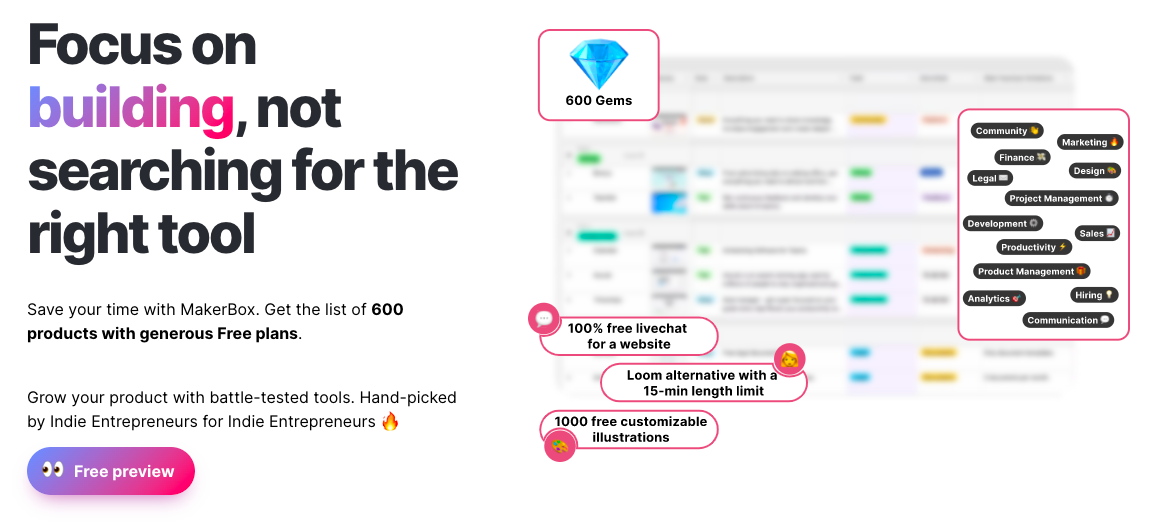
Most spreadsheets look… boring. But MakerBox turns a plain list of tools into something that feels valuable and easy to use.
The Magic of Callouts
The blurred spreadsheet with bright callout bubbles transforms complexity into clarity. Each bubble highlights key value props—like “100% free livechat” or “600 Gems”—so you instantly get what’s inside without reading a thing.
Why It Works
- Visual hierarchy directs your eyes to what matters
- Product benefits jump out instead of hiding in rows
- The “preview without overwhelm” trick builds trust
- Clean design makes a dense resource look simple
Real-Life Examples
- Airtable uses color tags to make data friendly
- Notion templates show callouts to preview content
- AppSumo uses screenshot overlays to highlight deal perks
- Canva previews template features with bold pop-ups
Analyzed by Swipebot
Loading analysis...
.png?width=3840&quality=80)