Copy the 3-Tier Pricing Skeleton
Published on
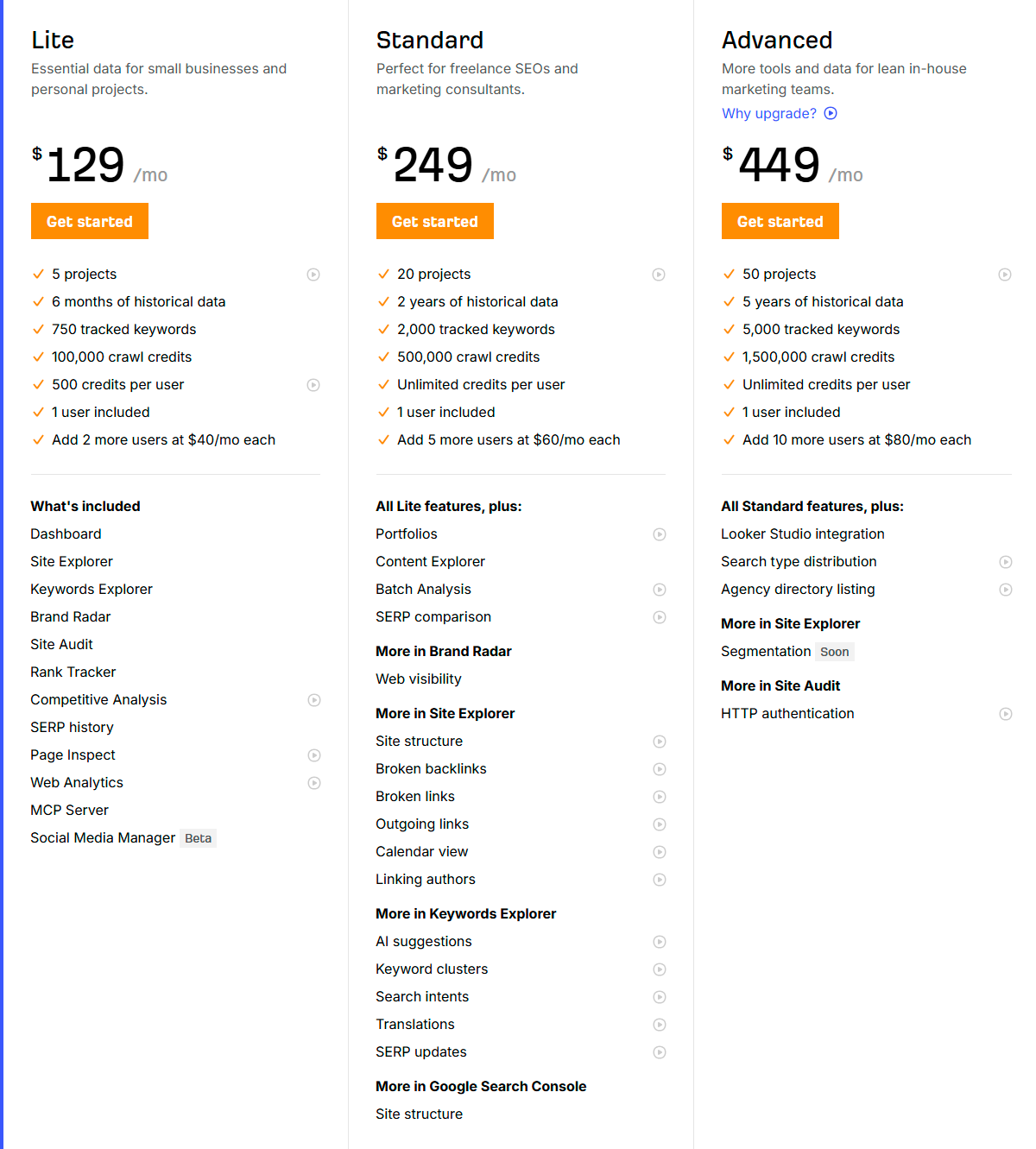
The page in the screenshot looks like a pricing table that survived a nuclear UX test. Three clear plans, clean contrast, and an obvious next step make this page quietly persuasive. Let us dissect why this boring-looking grid is money-making gold.
How to steal this layout for your own SaaS
Copy the skeleton, not just the colors. Start with three plans, make the middle plan the obvious no-brainer, and ladder benefits in big, visible jumps: projects, limits, and time horizons. Use one loud button style, repeat it under every column, and label feature groups with simple headers like “More in Site Explorer” so nerdy stuff looks organized, not overwhelming. When in doubt, show the upgrade path like this page: same product, more power, higher plan.
Why this pricing grid quietly prints cash
- Three tiers (Lite, Standard, Advanced) make the middle $249 plan feel like the smart, safe choice.
- Each jump in price comes with chunky, easy-to-skim upgrades: more projects, more history, more tracked keywords, more crawl credits.
- The bright orange “Get started” buttons are identical on every plan, so the decision is about value, not confusion.
- Feature lists stack logically: Standard is “All Lite features, plus,” Advanced is “All Standard features, plus,” removing mental math.
- Technical perks like AI suggestions, segmentation, and integrations are grouped under bold mini-headlines, so power users can scan fast.
Creative Variations
Analyzed by Swipebot
Loading analysis...