Sketch App Home Page
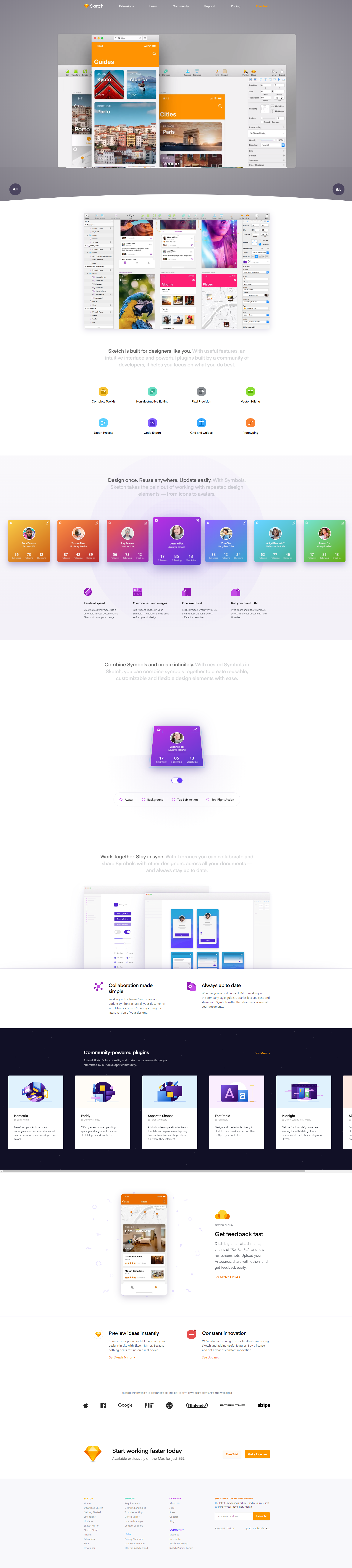
Sketch’s landing page doesn’t just talk about design tools—it shows them in action. Every scroll gives you a peek at the product’s power, with visuals that explain more than any paragraph could.
Why This Page Works
- Product first: Screenshots highlight real in-app views, building instant credibility.
- Visual hierarchy: Each section smoothly guides you to the next benefit without friction.
- Consistent color palette: Reinforces brand and keeps everything feeling cohesive.
- Social proof baked in: Team shots and testimonials make the product feel trusted.
- Action-focused CTAs: “Try for free” and “Get Sketch” are repeated clearly and confidently.
Real-Life Examples
- Figma: Uses interface demos front-and-center to mirror user workflows.
- Notion: Recreates product use in every hero image.
- Canva: Uses clean, friendly tutorial shots to lower adoption barriers.
Analyzed by Swipebot
Loading analysis...