Scrollable Sidebar Menu Before/After
Updated on
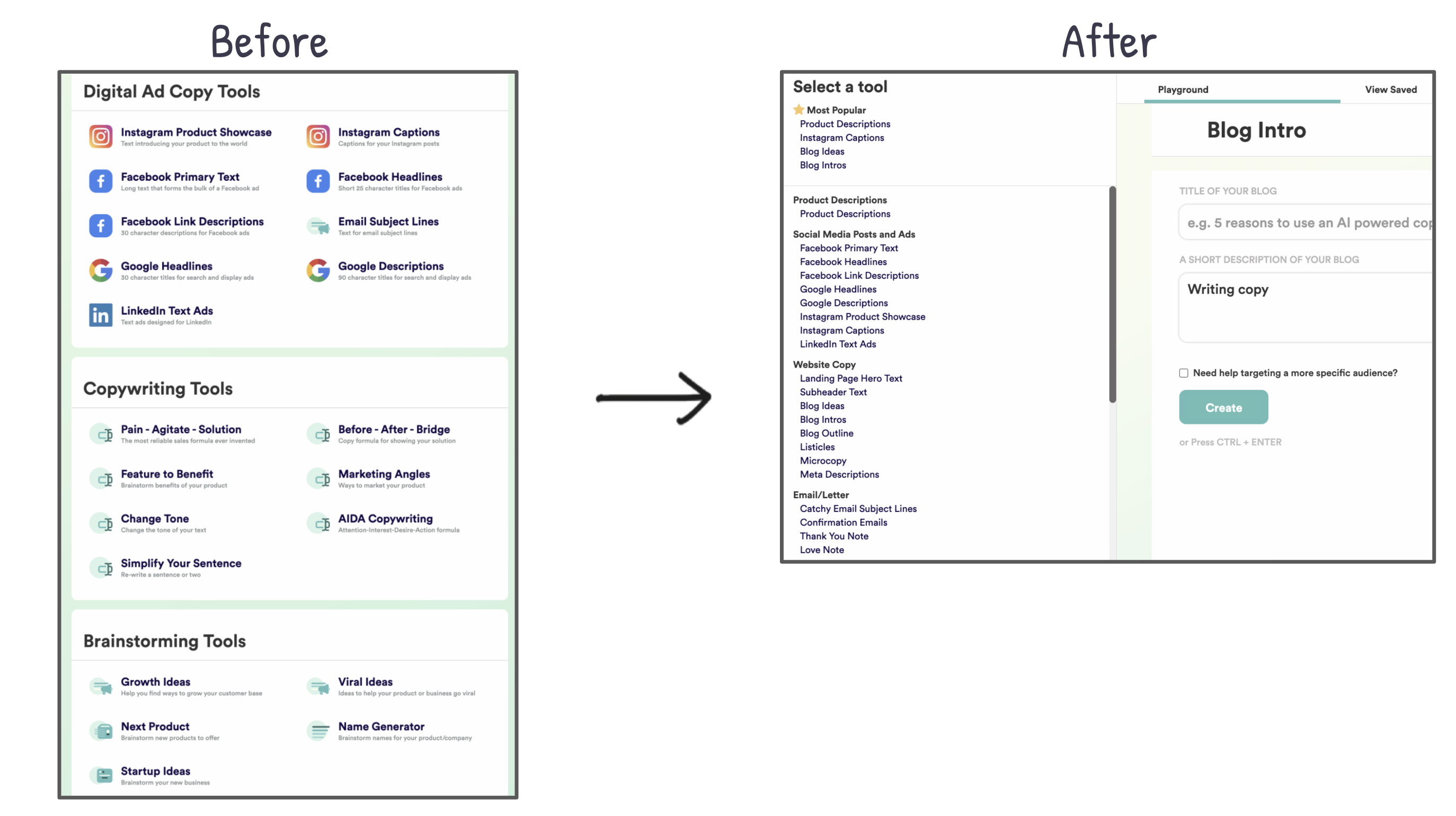
Small UI change, massive impact. Copy.ai replaced a cluttered layout with a scrollable sidebar menu—and turned a 6-screen hunt into a one-click breeze.
Marketing analysis
This is usability gold. The new layout shortens the path from “want to do something” to “doing it.” Less scrolling equals less friction, which equals happier (and more converting) users.
Why it works
- Reduces cognitive load
- Keeps the user’s goal in sight
- Feels faster even if load times don’t change
- Encourages exploration with zero overwhelm
Examples
- Slack’s left sidebar: one click to switch channels.
- Figma’s layers panel: scrollable, not paginated.
- Notion’s sidebar: everything visible at once keeps navigation simple.
- Google Docs: collapsible menu keeps writing space clean but tools nearby.
Analyzed by Swipebot
Loading analysis...