Reverse-Engineer Your Brand In 4 Questions
Published on

1.2K
17
12.8K views
calebralston The Brand Journey Framework: 1. What do I want to have happen? 2. What would I have to be known for...
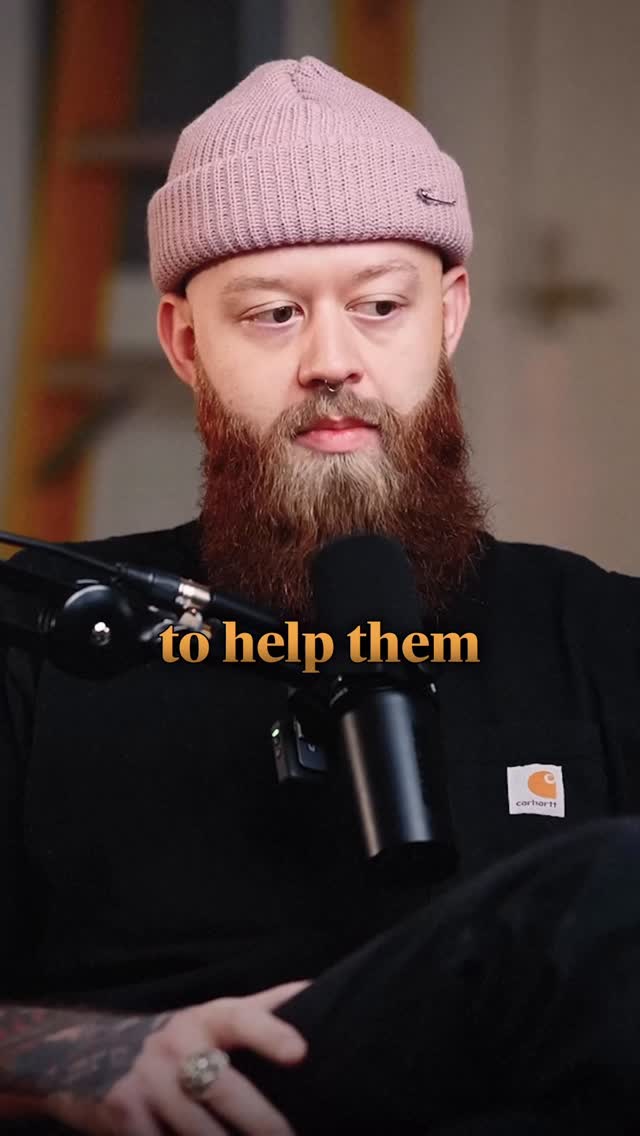
Freeze-frame this reel: a beanie, a beard, a mic, and one bold phrase on screen—“to help them.” That single frame is a perfect snapshot of what brand-building actually is. Not colors. Not logos. A clear promise spoken into a microphone. In this post, you’ll use four simple questions to reverse-engineer that same clarity for your own brand.
The 4-Question Brand Backcast
1) What do you want to happen in your business? Revenue, reach, opportunities—get specific. 2) What do you need to be known for so that result is inevitable? 3) What do you need to do consistently so people actually know you for that thing? 4) What do you need to learn to do that work at a high level? Answer these and your brand stops being vibes and starts being a blueprint.
What This Frame Teaches About Branding
- The tight shot and mic signal: “I have something worth listening to,” which instantly frames the speaker as an authority.
- The simple outfit and visible workwear logo make the person feel approachable, not corporate-polished, which builds trust.
- The words “to help them” sit dead center over the microphone, visually telling you the brand’s priority is the audience, not the ego behind the mic.
Brands That Work Backwards Like This
HubSpot decided it wanted more software customers, so it became known for world-class inbound education, then flooded the internet with free marketing content to earn that reputation.
Basecamp wanted loyal, low-churn users, so it chose to be known for calm productivity and then built simple, opinionated features that reinforced that promise.
ConvertKit wanted to dominate the creator email niche, so it focused on being known as “for creators,” then shipped features, case studies, and events tailored only to that group.
Analyzed by Swipebot
Loading analysis...
.png?width=3840&quality=80)