Basecamp's Four Tiers Simplify Buying Decisions
Published on
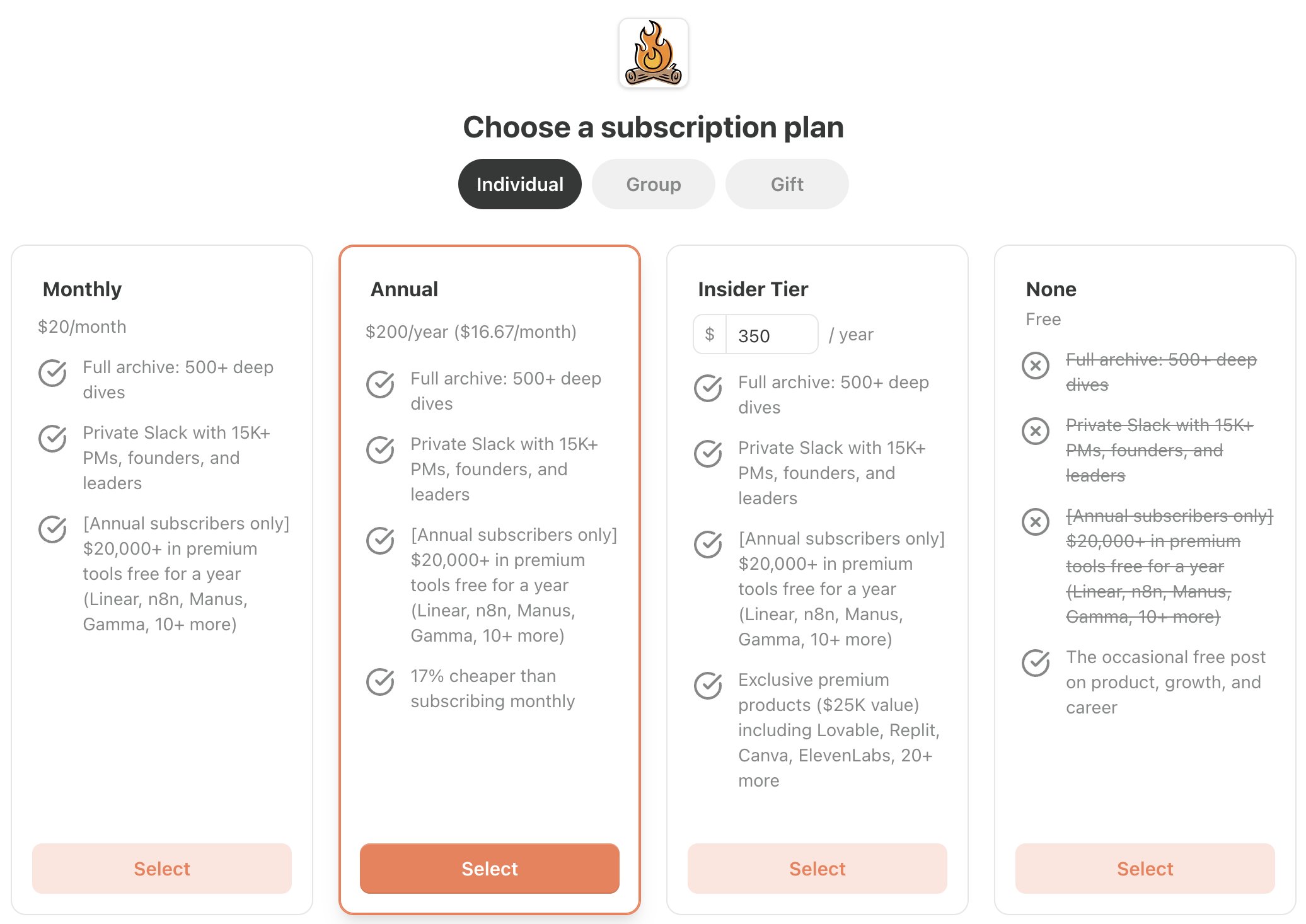
Basecamp’s four-tier pricing screen is a masterclass in making decisions feel easy instead of overwhelming. One glance at the layout and your brain already knows which option to favor, why it costs more, and what you’d miss by staying free. Let’s break down how this simple grid quietly guides you to hit that orange “Select” button with confidence.
Steal this for your own pricing page
Offer 3–4 tiers max, give one plan visual VIP treatment, and line up features in rows with simple icons so the upgrade path is obvious. Make the free or cheapest plan feel safe but clearly incomplete, and use a small note like “X% cheaper than monthly” to justify the commitment. You’re not tricking customers—you’re removing friction so they can pick the best fit fast.
How the four tiers quietly steer the buyer
- Clear ladder of value: Free, Monthly, Annual, and Insider stack benefits visually so each step up feels like a natural upgrade, not a hard sell.
- One hero plan: The Annual tier is centered, boxed in orange, and labeled cheaper per month, making it the obvious “smart” choice.
- Loss aversion in the Free column: Struck‑through perks show exactly what you’re giving up, turning “free” into a fear of missing out.
- Consistent checkmark icons: Each row keeps features aligned so your eyes can quickly compare without reading every word.
Real-world pricing pages using similar psychology
Basecamp uses a four-column layout with a highlighted middle tier to nudge most buyers into the Annual plan while still making the other options feel fair.
Analyzed by Swipebot
Loading analysis...