Control Reading Order With Typography
Published on
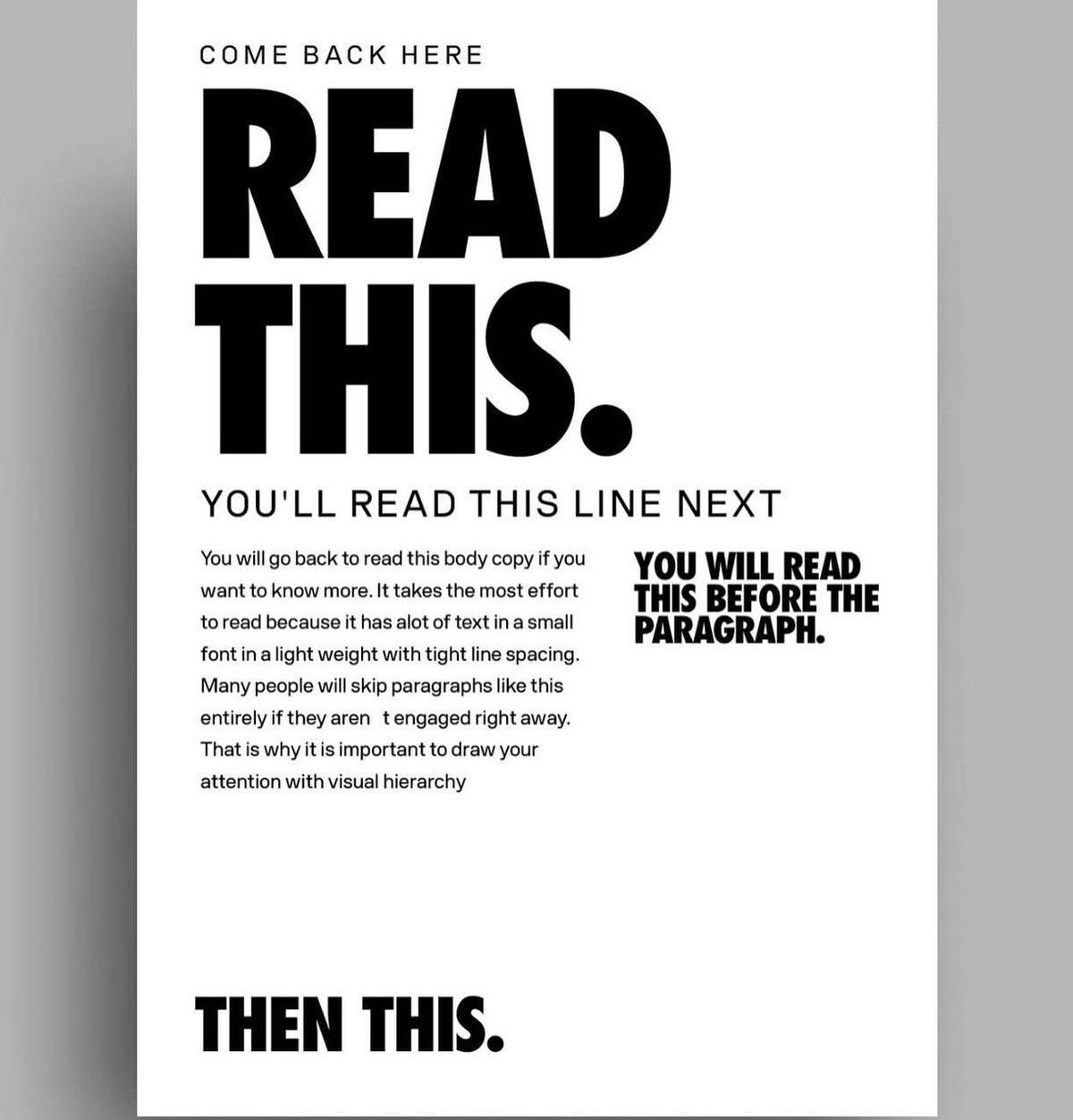
Pin by Lynn Lockear on Me! in 2026 | Graphic design activities, Learning graphic design, Graphic design tips
Typography is not decoration, it’s traffic control for eyeballs. This poster proves you can boss readers around without a single arrow or number. Let’s steal the tricks from this layout so your headlines get read, your subheads get skimmed, and your paragraphs don’t die alone at the bottom of the page.
How This Poster Hijacks Your Eyes
First thing you see is the huge “READ THIS.” The size, bold weight, and tight stacking make it impossible to ignore. Then your eyes drop to the all‑caps subhead: same font, smaller size, clear next step. The body copy shrinks, lightens, and loosens so it becomes optional background. Off to the right, another bold block yanks attention before you ever touch the paragraph. Finally, the heavy “THEN THIS.” at the bottom acts like a period for the whole layout.
Steal These Reading-Order Controls
- Make the most important line the largest, boldest, and simplest phrase on the page.
- Use a clear size drop for the second line so it feels like the obvious next thing.
- Demote body text with lighter weight, smaller size, and more line spacing.
- Use side headlines to interrupt the flow and pull attention to key points.
- End with a strong bottom line so the layout has a clear “last thing” to read.
Who Uses Typographic Traffic Control?
Nike uses a massive three-word headline with tiny supporting copy to make sure you read the slogan before anything else.
Apple stacks a bold product name over lighter details so your eyes always hit the name first on their landing pages.
Creative Variations
Analyzed by Swipebot
Loading analysis...
.png?width=3840&quality=80)