Reusable ChatGPT Reel Editing Process
Published on

2.2K
5.8K
leadwithzoe chatgpt edited this entire reel too... comment EDIT and i’ll send you my free editing guide, starter...
Most people treat AI like a gimmick in their content, but this reel quietly sneaks in something way more valuable: a repeatable editing system. Instead of shouting about features, it visually proves that ChatGPT can handle the heavy lifting while the creator keeps full control of the style. Let’s break down how this setup turns one good reel into a reusable production line.
The reusable ChatGPT reel editing process
Start by documenting a style guide: fonts, caption format, pacing, sound effects, and any tweaks you normally fix by hand. Next, teach ChatGPT your editing preferences with specific examples and short clips so it learns how you like cuts, zooms, and subtitles formatted. Then, for each new reel, drop in raw footage with a tight brief (hook, key points, CTA), let ChatGPT generate the edit plan, and give feedback on each draft until it matches your vibe. Save the final prompt stack, so your next video starts from a proven template instead of a blank page.
Why this reel format works so well
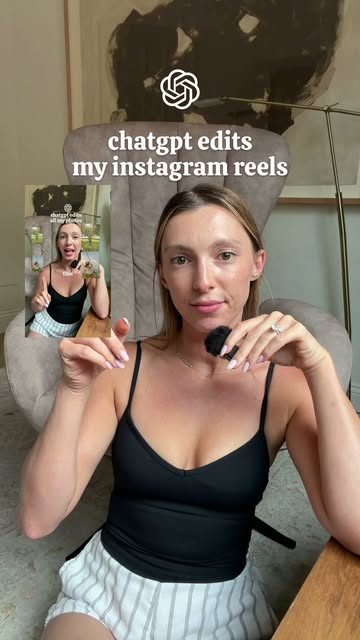
- The split-screen vibe (talking to camera while showing the edited reel) instantly demonstrates the before-and-after without needing a long explanation.
- On-screen text “chatgpt edits my instagram reels” acts like a giant headline that hooks scrollers in the first second.
- Consistent fonts, captions, and colors visually prove there’s a style guide behind the scenes, selling the idea of a system, not just a tool.
- The call to comment “EDIT” makes the reel a lead magnet, turning casual viewers into warm subscribers for the guide + prompts.
Creators already doing this

LeadWithZoe turns her ChatGPT-powered editing workflow into a reel that shows her face, her finished clips, and a simple "comment EDIT" CTA to collect leads for her free guide and prompts.
Analyzed by Swipebot
Loading analysis...