Kit Subscriber Signals: Spot High-Influence Subscribers In Your List
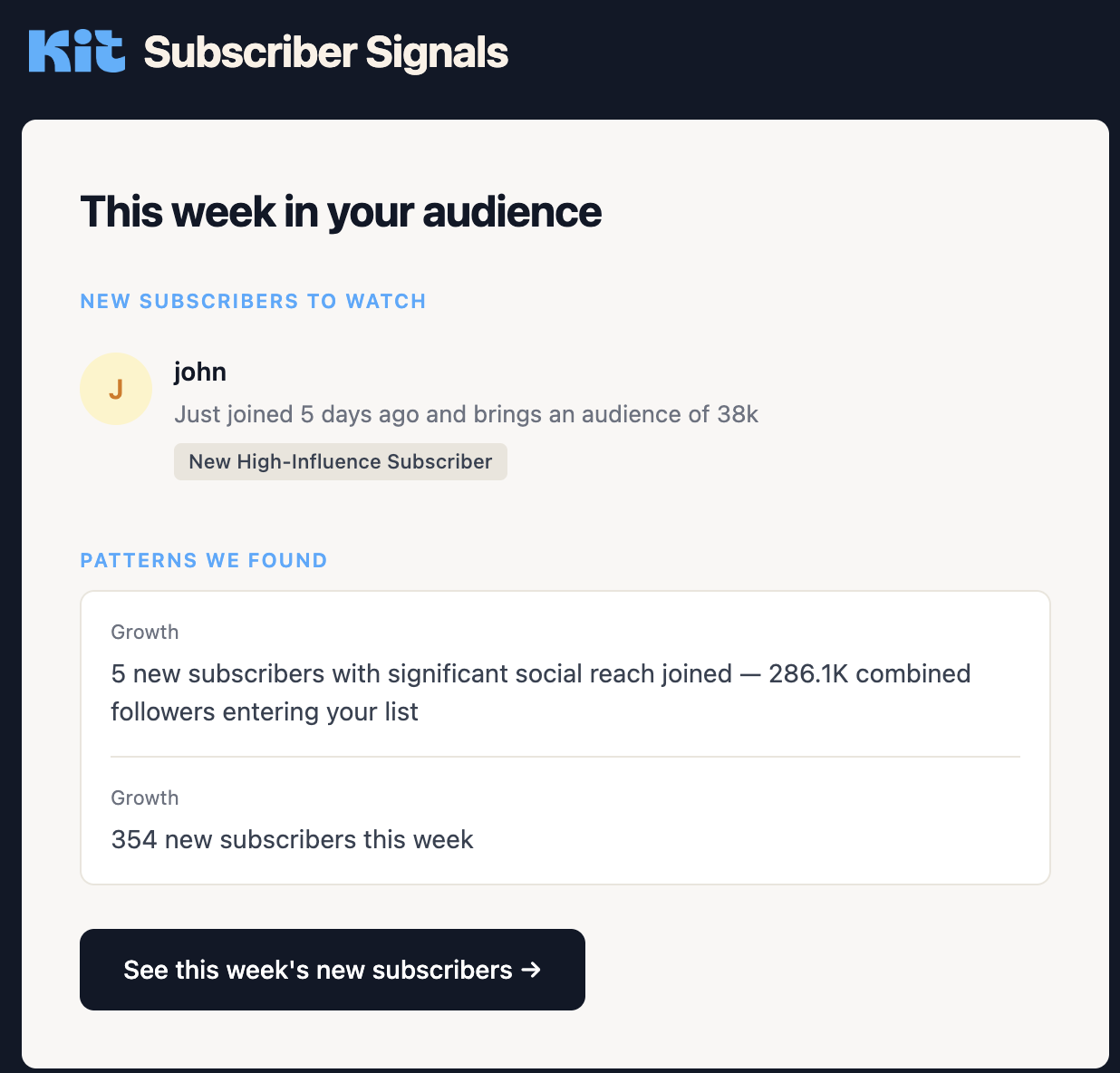
Most people stare at their subscriber count and totally miss the whales hiding inside it. That Kit “Subscriber Signals” screenshot shows you exactly how to fish those whales out. Instead of treating everyone the same, it flags the people who bring an entire audience with them. That’s how you turn one opt‑in into hundreds or thousands more.
What the Screenshot Is Really Telling You
Kit spots that a new subscriber named John brings an audience of 38k, then highlights that five new subscribers this week have a combined reach of 286.1k followers. It doesn’t just say “354 new subscribers” and call it a day. It says, “Here are the handful of people who can actually move the needle,” and gives you a button to go see them right now.
How to Use High-Influence Subscriber Signals
- Tag new subscribers with large social reach the moment they join.
- Send them a personal welcome email instead of the default autoresponder.
- Offer an easy way for them to share your best content with their audience.
- Track weekly patterns so you notice spikes in influencer signups, not just total growth.
Real-World Ways To Act On These Signals
Kit uses the Subscriber Signals view to surface new high‑influence subscribers like John and show their estimated audience size right in the dashboard.
A creator using Kit can open the weekly report, click 'See this week's new subscribers,' and immediately sort out which new subscribers should get a personalized outreach message.
Creative Variations
Analyzed by Swipebot
Loading analysis...