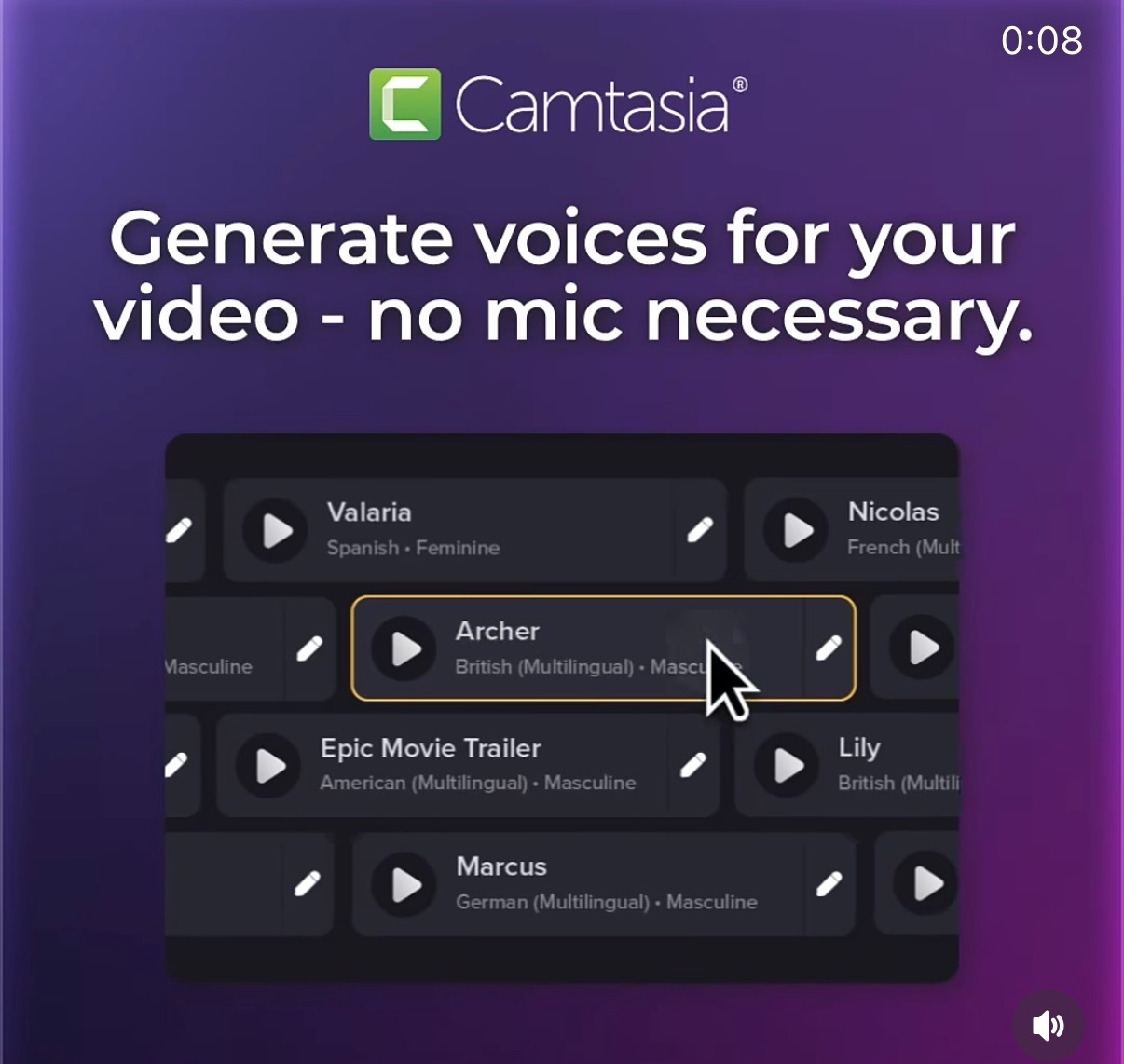
You can now crank out pro-sounding voiceovers in Camtasia without touching a microphone. The screenshot above says it all: pick a voice, click play, and your video suddenly sounds like it had a studio session behind it. This turns shy, busy, or accent‑worried creators into instant narrators.
What You’re Seeing in the Screenshot
Camtasia’s voice generation panel shows a scrollable list of voices like Valaria, Archer, Epic Movie Trailer, Marcus, Nicolas, and Lily. Each voice has a clear label for language, gender, and style (for example, “British (Multilingual) · Masculine”). You click the play button to preview or the pencil icon to tweak, then drop the generated audio straight into your timeline.
Why This Feature Is a Big Deal
- Removes the need for a mic, quiet room, or perfect voice
- Lets you instantly test different accents and tones for the same script
- Keeps everything inside Camtasia—no exporting to external AI tools
- Makes last‑minute script changes painless: edit text, regenerate, done
Smart Ways Creators Can Use This
A course creator can use Camtasia’s “Epic Movie Trailer” style voice to make module intros sound dramatic and attention‑grabbing.
A global SaaS company can rely on Camtasia’s multilingual voices like Archer or Valaria to localize product walkthroughs without hiring multiple voice actors.
Creative Variations
Analyzed by Swipebot
Loading analysis...