Turn Any Camera Roll Into Daily Content
Published on
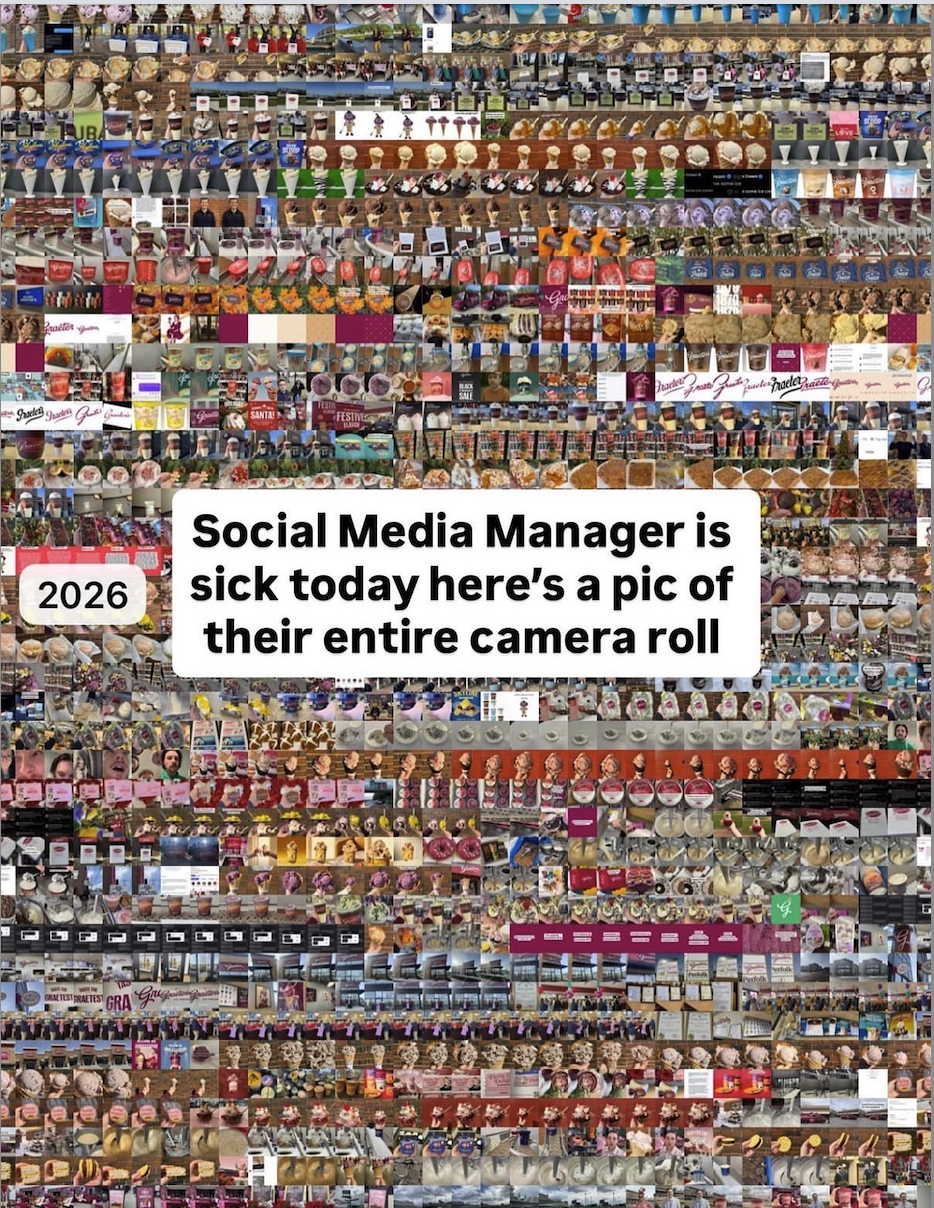
Open your camera roll and it probably looks like this image: thousands of tiny thumbnails, random food pics, receipts, screenshots, and product shots jammed into one chaotic quilt. Buried in that chaos is a year’s worth of social content you’re ignoring. Instead of hunting for fresh ideas every morning, mine the photos you’ve already taken and turn them into a daily posting machine.
The Gold Hiding In That Messy Grid
The joke image shows a social media manager’s entire camera roll as one giant collage: products, shelves, packaging, signs, behind‑the‑scenes snaps. To everyone else it’s clutter. To a marketer it’s a perfectly labeled content library. Every row is a theme: product closeups, customer moments, promotions, experiments. Once you start tagging and batching those photos, you never sit down to a blank content calendar again.
Turn Chaos Into Daily Posts
- Scroll your camera roll and screenshot anything that hints at product, process, or personality.
- Group images into 5 buckets: product, people, process, proof (results), and personal.
- Write one short caption per bucket per week, then schedule them as a repeating series.
- Reuse the same image three ways: story, feed post, and email thumbnail.
- Once a month, stitch a grid of photos (like the meme) and tell the story behind that “mess.”
Real Brands Doing This

Starbucks turns simple barista and drink photos from their camera roll into seasonal drink announcements and lifestyle reels.
Glossier repurposes candid office and product shots from their team’s phones into polished behind‑the‑scenes posts that feel intimate and unfiltered.
Creative Variations
Analyzed by Swipebot
Loading analysis...