Turn Awful Wire Transfers Into Two Steps
Published on
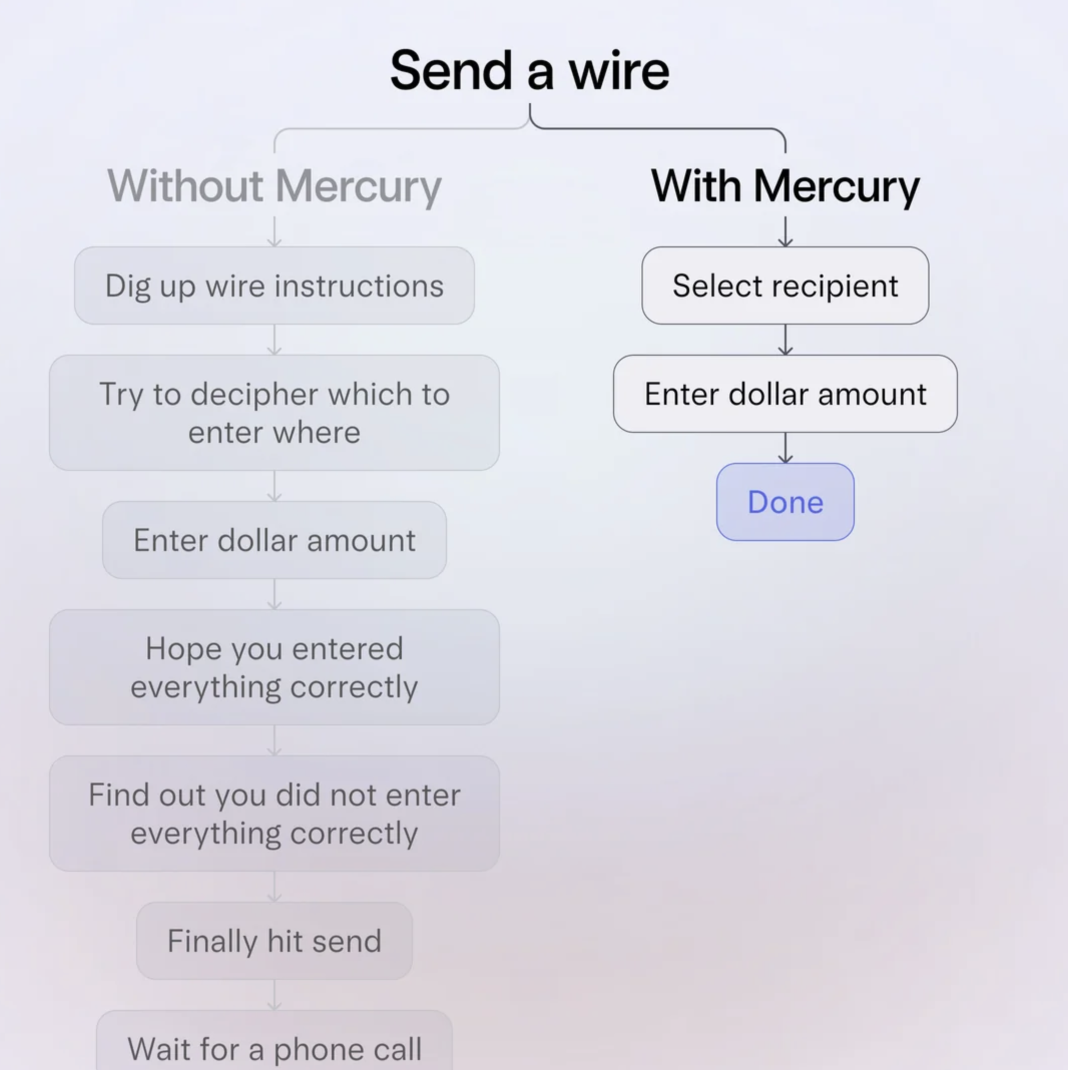
Wire transfers are already stressful, but this visual nails why they feel downright awful. On the left you’ve got the usual maze: hunting instructions, decoding fields, praying you didn’t fat‑finger a digit. On the right, Mercury slices that chaos into just two calm little boxes. Same job, radically different journey. That contrast is the whole copy lesson.
Turn a headache into a two‑step story
The image doesn’t brag about features, it just shows two flows side‑by‑side under the simple headline “Send a wire.” The left stack (“Without Mercury”) reads like every painful banking experience you’ve ever had: dig up instructions, decipher fields, hope you did it right, wait for a phone call. The right stack (“With Mercury”) is hilariously short: select recipient, enter dollar amount, done. That’s the pitch. No adjectives needed.
Why this visual works so well
- It weaponizes contrast: tall, anxiety‑inducing ladder vs tiny, relaxed flow.
- It uses real steps (“hope you entered everything correctly”) that trigger memories and emotions.
- It keeps the promise insanely specific: not “better banking,” just “Send a wire in two steps.”
- It makes the “after” state feel obvious: once you see the right side, the left looks ridiculous.
Steal this two‑step pattern for your product
Notion shows a cluttered folder tree beside a single clean workspace to prove how it replaces scattered docs.
Canva compares a multi‑tool design workflow against one drag‑and‑drop editor to sell its simplicity.
Creative Variations
Analyzed by Swipebot
Loading analysis...
.png?width=3840&quality=80)