7 Design Laws That Reduce Buying Friction
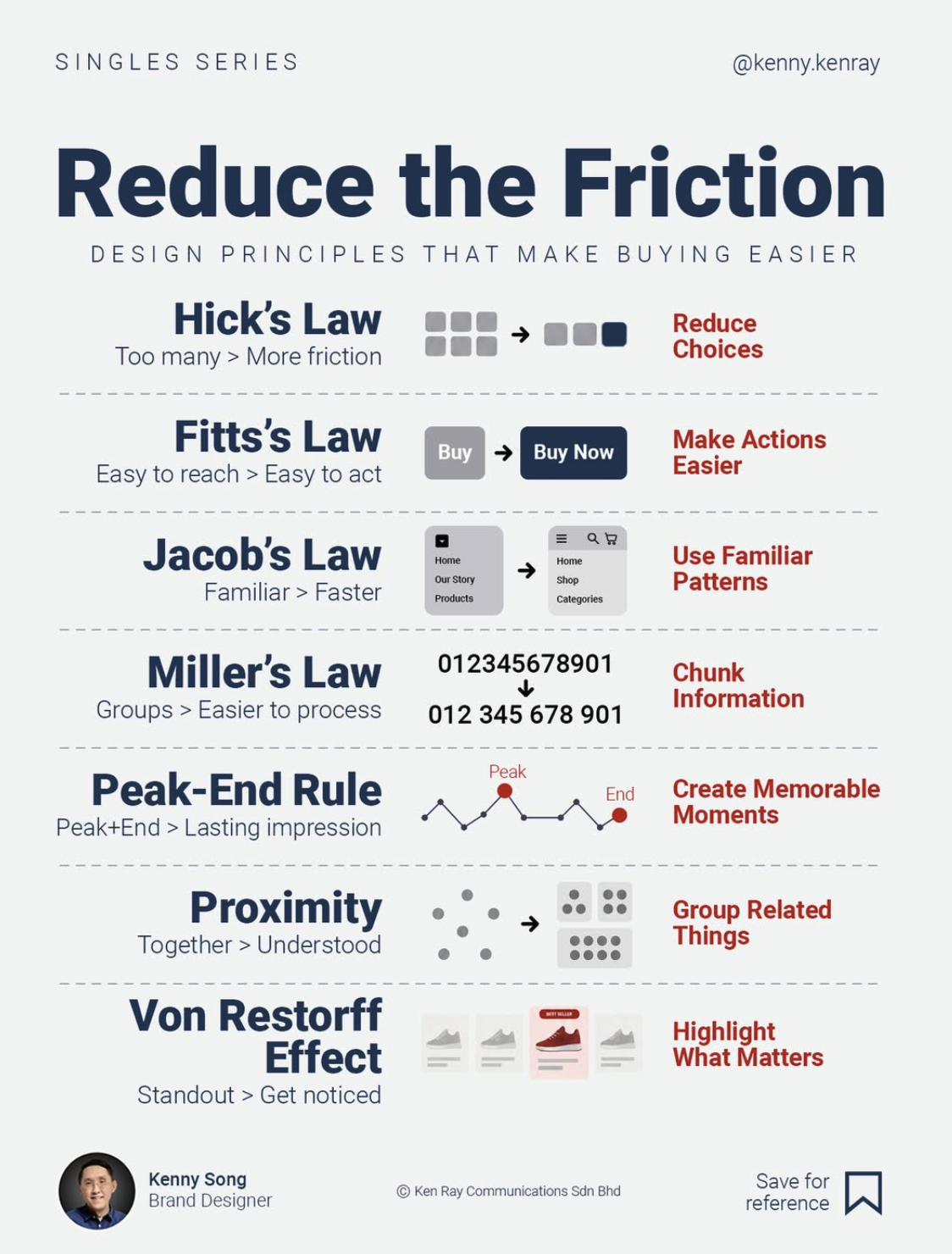
If your product page looks like a cockpit, people bail. This visual from Kenny Song (@kenny.kenray) is basically a cheat sheet of seven design laws that quietly push visitors toward the Buy button. Use it as a blueprint to strip friction, speed up decisions, and make your site feel instantly trustworthy.
How to Use This Graphic Today
Pull up the image next to your product page and go law by law. Remove extra options. Enlarge the one main button. Standardize your layout. Chunk copy into sections. Add one memorable delight and a clean finish. Group related details. Then punch up the visual contrast on your primary offer. That’s a seven-step pass to make buying feel effortless instead of like homework.
7 Design Laws That Reduce Buying Friction
- Hick’s Law: Fewer choices = faster decisions, so trim options on pricing, sizes, and CTAs.
- Fitts’s Law: Make primary buttons big, obvious, and thumb‑reachable on mobile.
- Jacob’s Law: Use familiar layouts for nav, carts, and forms so nothing feels confusing.
- Miller’s Law: Chunk long text, forms, and numbers into bite‑sized groups.
- Peak‑End Rule: Design one delightful moment and a smooth checkout finish.
- Proximity: Group related info (price, benefits, guarantee) tightly together.
- Von Restorff Effect: Visually highlight the one action or offer you most want clicked.
Real-World Friction-Killers

Amazon uses Hick’s Law by surfacing a single, bold “Buy Now” choice on product pages instead of a menu of competing CTAs.

Shopify stores apply Fitts’s Law by using oversized, high-contrast Add to Cart buttons that are easy to tap on mobile.
Airbnb leans on the Peak-End Rule by making the final booking confirmation screen clean, celebratory, and reassuring.
Creative Variations
Analyzed by Swipebot
Loading analysis...