Buffer's API Landing Page
Published on
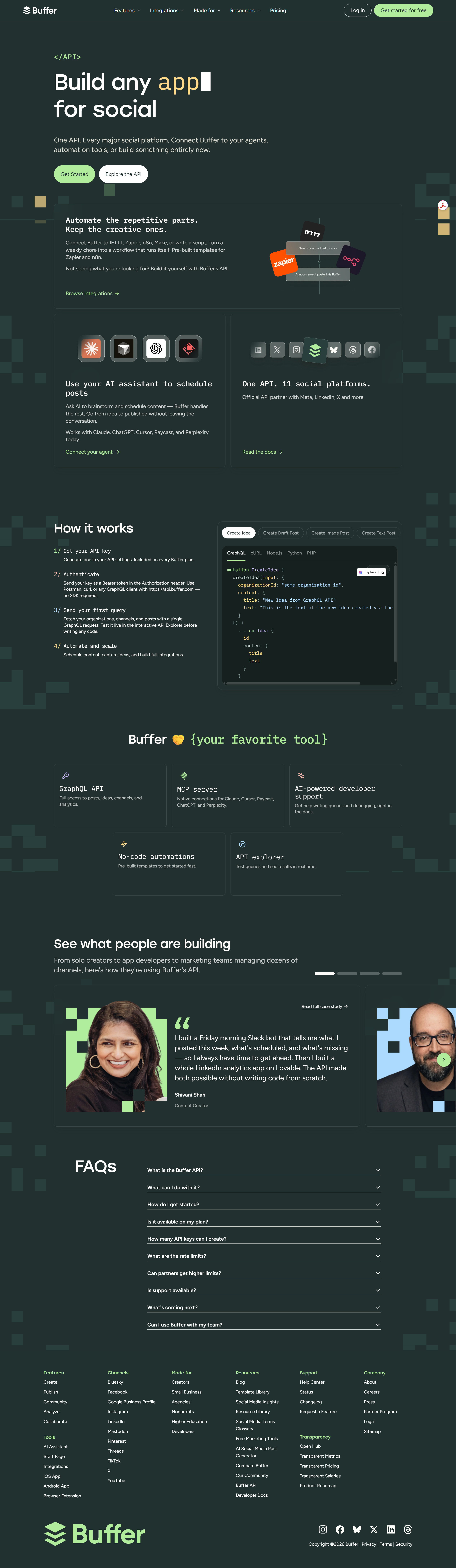
Buffer API | Build with Buffer
You already talk to AI all day, tossing it ideas and half-written captions. With Buffer’s API, that running conversation can quietly turn into a fully scheduled social calendar. No extra tabs, no copy‑paste gymnastics, just prompts in your favorite AI tool that magically appear as queued posts across your channels.
Turn a prompt into a post (without leaving the chat)
The Buffer API page shows a simple flow: your AI assistant generates copy, then sends it straight to Buffer, which publishes to 11 major social platforms. You connect tools like ChatGPT, Claude, Cursor, or Raycast once, and from then on you can say things like “Draft and schedule three posts about our new feature for next week” and let Buffer handle the posting dates, times, and channels in the background.
Why this combo is so powerful
- You keep the creative parts (prompts, ideas, angles) and automate the repetitive bits (copy‑paste, logging in, scheduling).
- One API connection lets your AI talk to every major social platform Buffer supports.
- You can chain automations with no‑code tools like Zapier, Make, or n8n, or drop down to raw API calls when you want full control.
Real ways to use AI + Buffer today
Buffer shows how creators can ask an AI assistant to brainstorm a week of content, then send each approved idea straight into a scheduled queue for Instagram, LinkedIn, and more.
Buffer highlights how developers can wire tools like ChatGPT or Claude to automatically turn support FAQs or release notes into scheduled social posts through a single API call.
Creative Variations
Analyzed by Swipebot
Loading analysis...