Make AI Your Email Marketing Manager
Published on
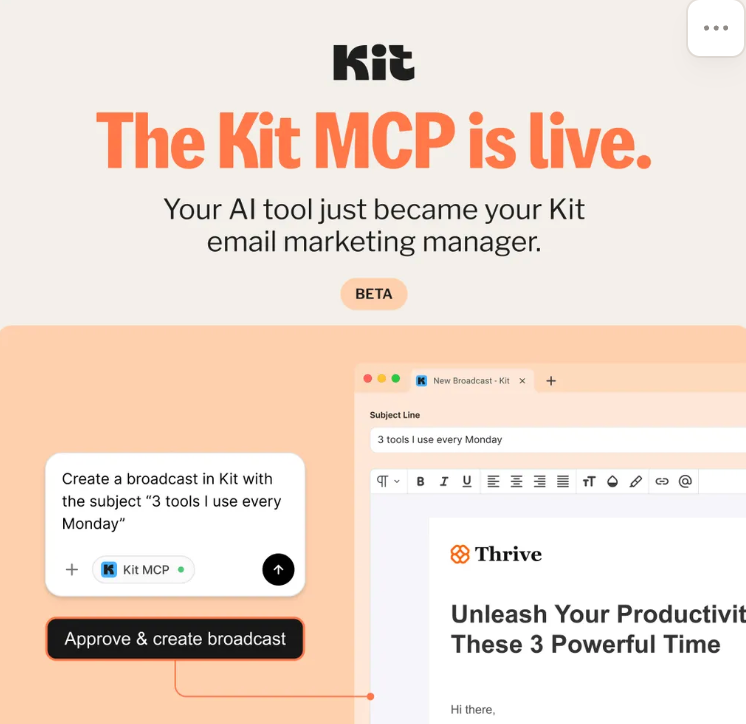
You’re staring at a blank email editor again, wondering what to send. Meanwhile, the image above shows Kit’s AI casually spinning up a full broadcast from a tiny command. That’s the jump: from “I should send an email” to “Approve & create broadcast” in one click. Make AI your email marketing manager and treat writing emails like approving invoices.
From Prompt to Polished Broadcast
In the screenshot, Kit’s MCP takes a simple instruction—“Create a broadcast in Kit with the subject ‘3 tools I use every Monday’”—and turns it into a ready-to-send newsletter. Subject line? Done. Layout? Done. All you do is review, tweak a line or two, and hit the big “Approve & create broadcast” button. Instead of drafting, formatting, and scheduling by hand, you become the editor-in-chief while AI handles the grunt work.
Why This Visual Is So Persuasive
- Shows the before-and-after: tiny AI command on the left, full email on the right.
- Highlights the one action that matters: the bold “Approve & create broadcast” button.
- Makes AI feel like a teammate, not a tech toy, by calling it your “email marketing manager.”
- Uses a real subject line (“3 tools I use every Monday”) so you instantly imagine your own campaigns.
Brands Already Letting AI Manage Email
Kit positions its MCP as a dedicated email marketing manager so users can approve broadcasts instead of writing them from scratch.
Creative Variations
Analyzed by Swipebot
Loading analysis...