Install PostHog With One AI Prompt
Published on
PostHog – We make dev tools for product engineers
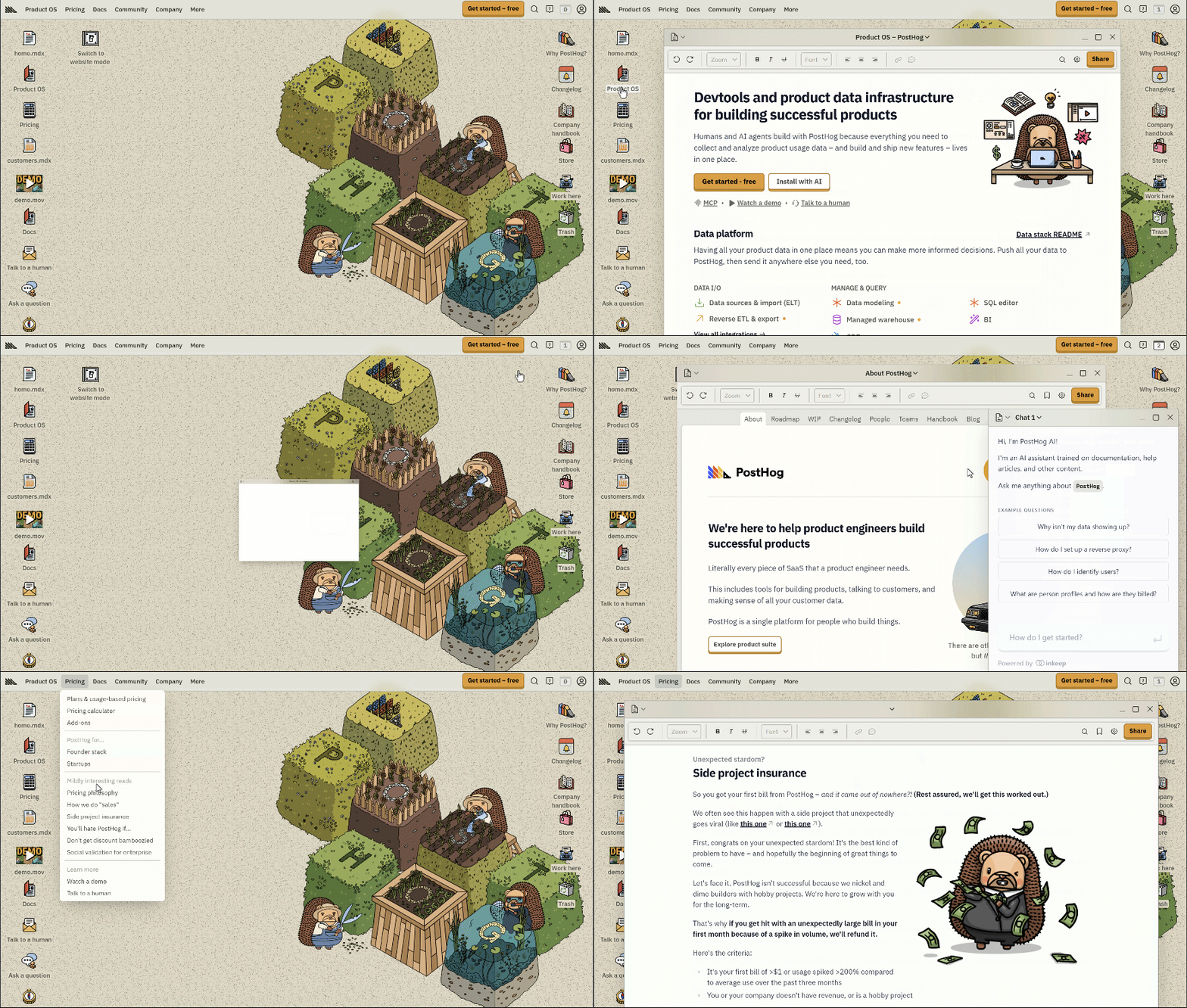
Installing analytics used to feel like gardening with a spoon: slow, messy, and weirdly painful. PostHog flipped that on its head with a desktop-style homepage that looks like a cozy dev sandbox, plus one tiny command that does all the heavy lifting. If you can paste a prompt, you can have product analytics, session replays, and feature flags wired up in minutes. This post shows how that playful hedgehog world hides a serious AI superpower: `npx @posthog/wizard`.
A Desktop for Product Engineers
The PostHog homepage looks like your favorite old-school desktop: files on the left for docs, pricing, and demos; utilities on the right for changelog, handbook, and support; and in the middle, a stack of pixel-art blocks tended by tiny hedgehog builders. It’s a visual metaphor for their promise: one tidy workspace where product usage, debugging, experiments, and AI insights all live together. Instead of bouncing between twelve tools, you live inside this single "product OS" and let PostHog and its AI co-pilot stitch everything together.
Install PostHog With One AI Prompt
PostHog’s best trick hides in plain sight on that desktop: a tiny "Install with AI" call-to-action. Under the hedgehog playground is the entire setup experience boiled down to a single command: `npx @posthog/wizard`. Paste it into your terminal or code editor, hit enter, and treat it like an AI prompt. The wizard asks smart questions, configures libraries, and wires your project into PostHog without you spelunking through docs. You get tracking, feature flags, and debugging tools set up in the time it used to take just to find the right SDK page.
Why This "One Prompt" Pitch Works
- The retro desktop art instantly signals "all your product tools live here" without a wall of feature bullets.
- Putting a single `npx @posthog/wizard` command front-and-center reframes install as a simple AI-style prompt, not a weekend project.
- Positioning PostHog as a co-pilot for you and your AI agents promises leverage, not just dashboards.
- Navigation icons like Docs, Demo, and "Talk to a human" stay pinned to the edges, so there’s always a clear next step.
- The playful hedgehog builders make an intimidating analytics stack feel approachable for solo devs and big teams alike.
Real-World Uses of a One-Prompt Install
PostHog uses the `npx @posthog/wizard` prompt to spin up tracking, feature flags, and recordings for new apps in minutes instead of hours of manual setup.
Creative Variations
Analyzed by Swipebot
Loading analysis...